A mechanical design copilot, with every tool one question away
Ask a design question, have a concept explained, check a joint or a shaft, pick a bolt or a bearing, look up a material. The AI works out which tools the question needs, runs them and explains what came back.
Built with AI coding agents; I set the safeguards and the tests.
What are you working on?
Answers an engineer can use
A model sits between the engineer and tested tools. Two safeguards keep it honest.
It asks before it guesses
A missing load or span is asked for, not guessed.
To run the beam analysis I need these values first. They decide the result, so I won't assume them.
Numbers it cannot trace are flagged
A number that traces to no result and no input is shown with a warning.
Use M10 8.8. Preload , tightening torque .
Point at a number.
Underneath, 415 automated test cases run on every change, against published worked examples.
Whatever the design needs next, one step away
A question, a calculation, a catalogue and a table, usually in four places, sit behind one box.
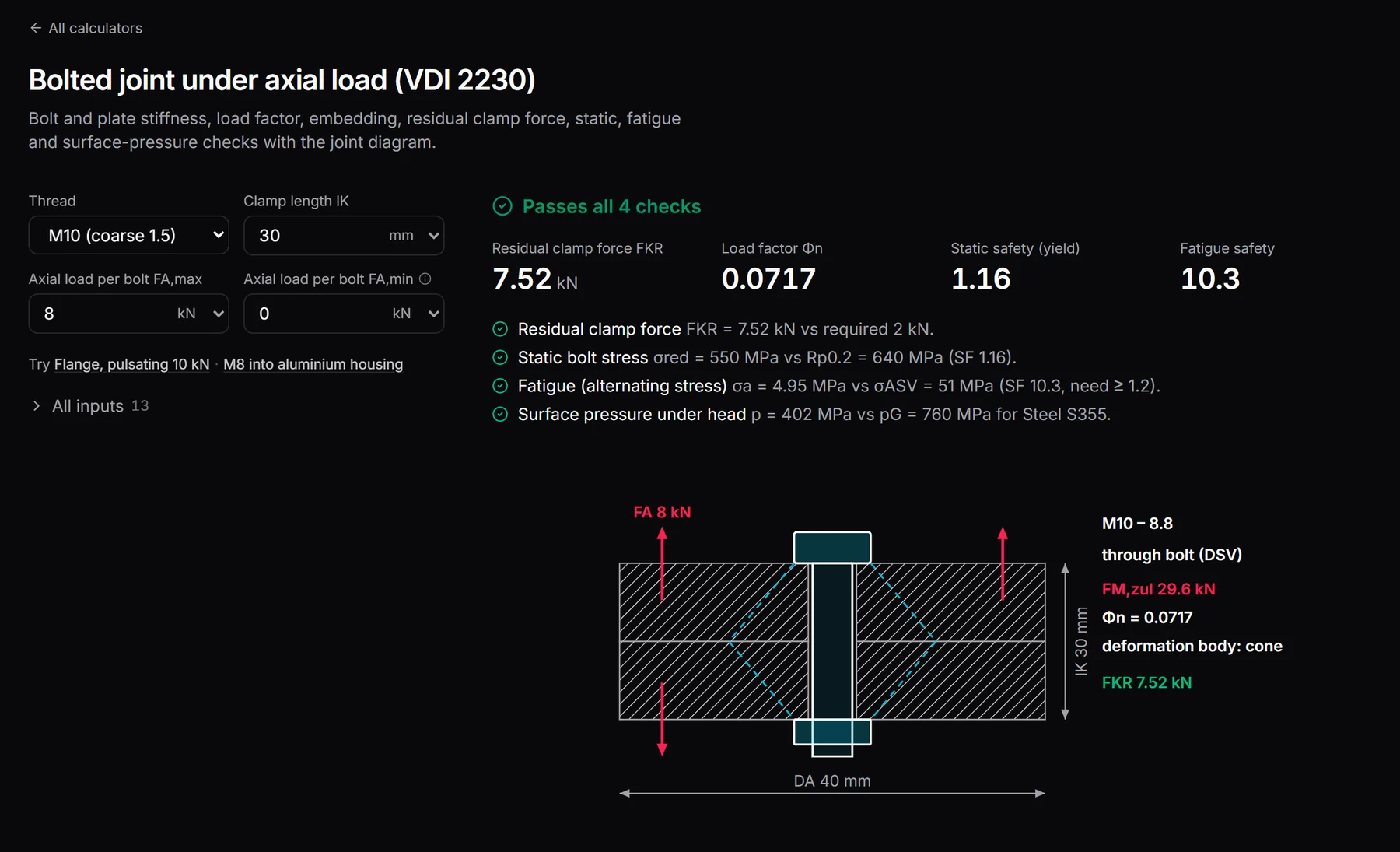
It picks the bolted-joint calculation, runs it and answers with the verdict first. Change the clamp length on the card and it runs again.
The AI does the joining
It chooses the tools a question needs and fills them with your numbers; when a check fails, it tries a design change before it answers.
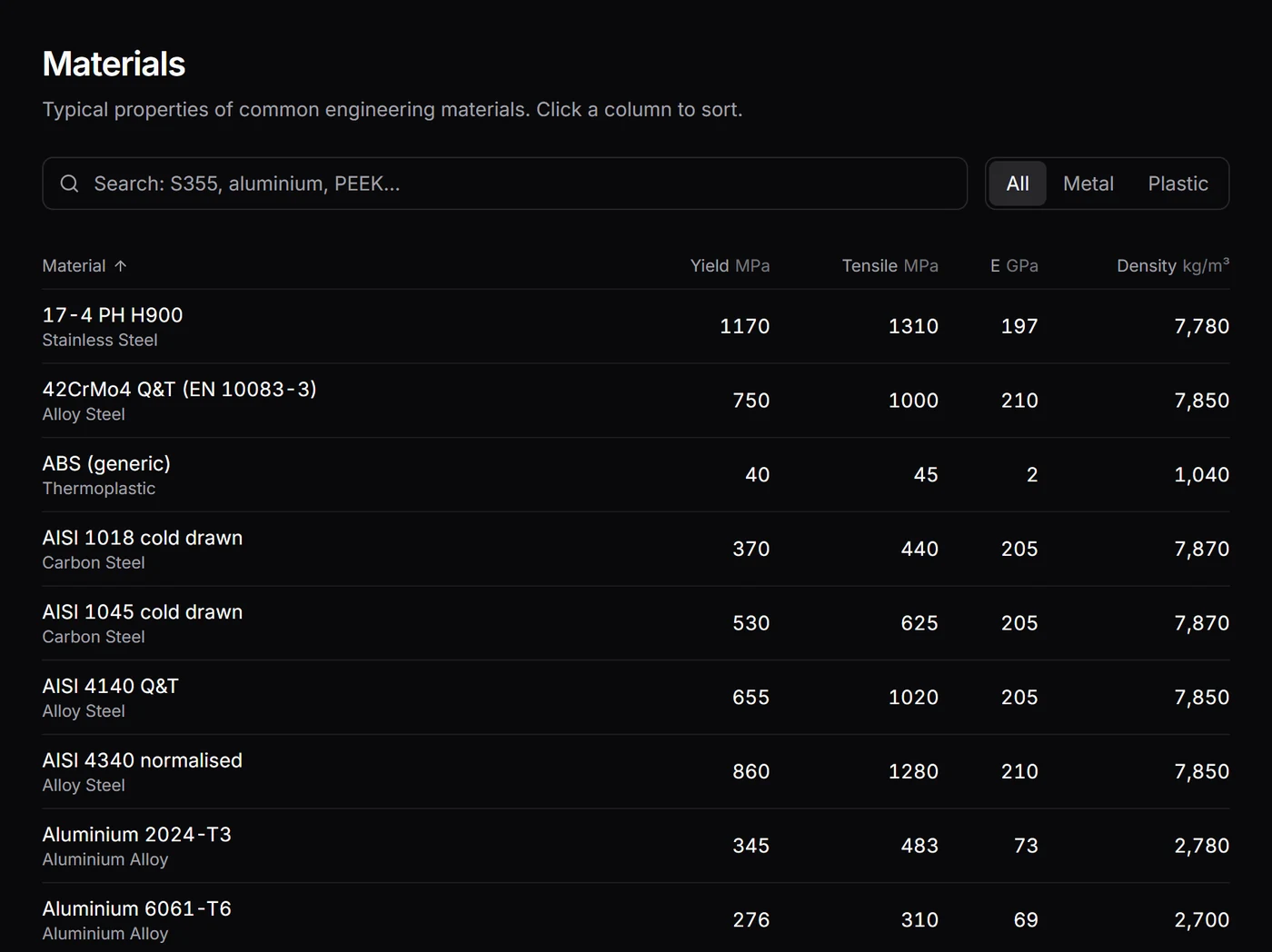
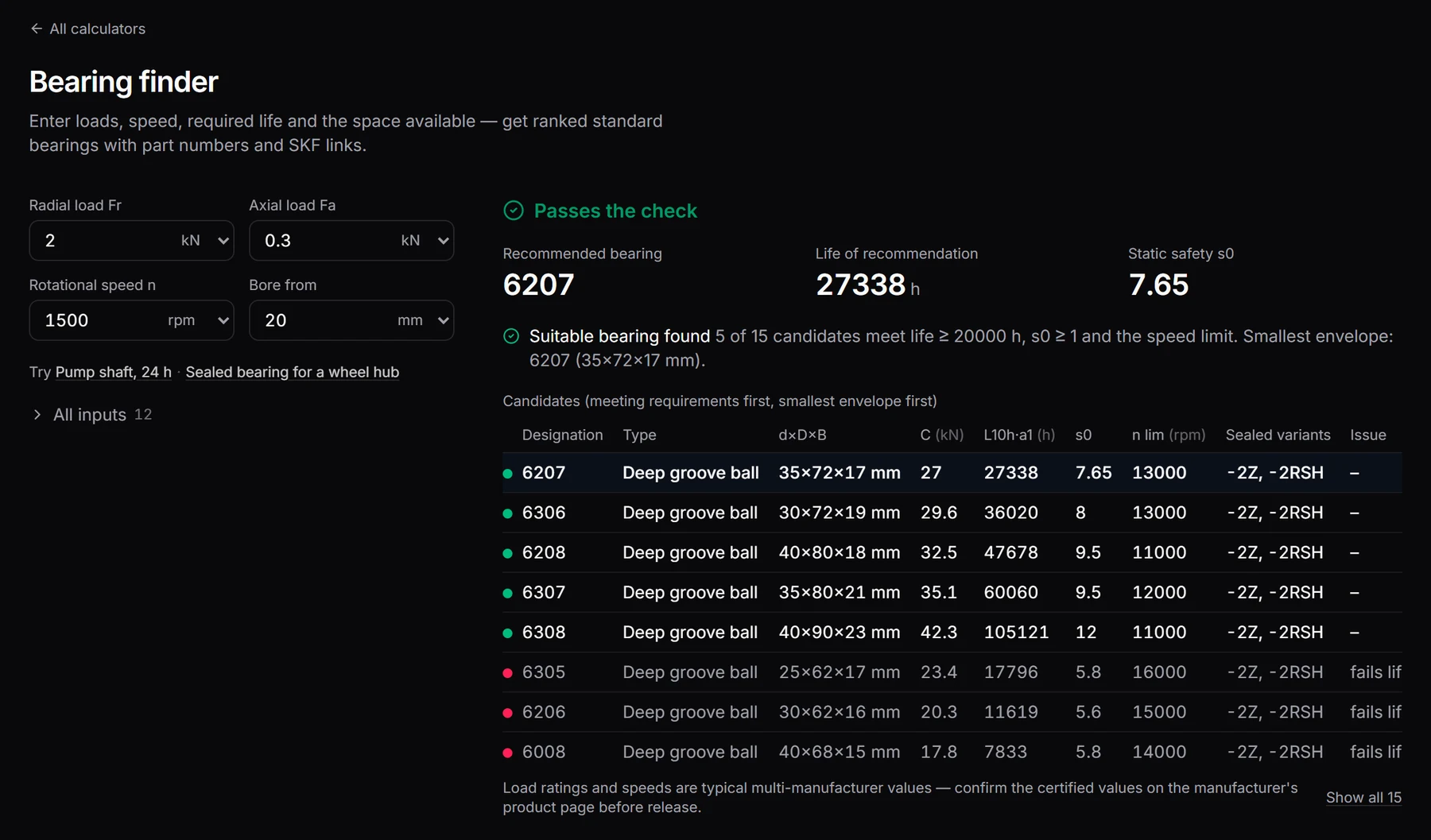
Behind it: 28 calculators and selectors, from bolted joints to S-N fatigue, each with its diagram, checks and worked solution, and 285 standard bearing sizes (ISO dimensions, typical ratings). On day two the generated calculators were deleted for this fixed, tested library.
Plan
Round bar, combined loading
20 mm, 1,500 N·m: your numbers, tagged as given.
Run 1
Fails its check
Over the stress limit at 20 mm.
Follow-up
Same load, larger diameter
Your bending moment is kept.
Run 2
Passes
The answer shows both runs.
Run it
Clone it and start start.bat or ./start.sh. The tools work offline; the copilot uses your own Replicate or OpenAI key.
Next in the Builder Lab
Application Tracker